
Download BowPad – open source text editor, code editor, programmer tool, HTML editor, C++ editor, lightweight editor, developer utility
Overview
BowPad is a lightweight, open-source text editor designed specifically for developers working with diverse file formats such as HTML and C++. Engineered to support modern programming workflows, it provides a streamlined environment for writing, editing, and managing code across multiple encoding standards. The application targets programmers seeking a fast, reliable, and customizable tool that enhances productivity without the overhead of larger integrated development environments (IDEs). Its primary purpose is to simplify day-to-day coding tasks by offering essential editing functions within a clean, intuitive interface.
Designed for use on Windows systems, BowPad serves as a dedicated utility for developers who value speed, minimalism, and flexibility. It is particularly useful for quick edits, script writing, configuration file management, and small to medium-sized projects where full IDEs may be excessive. The open-source nature of the software means it benefits from continuous community-driven improvements, ensuring long-term relevance and adaptability to evolving coding standards.
Although the developer did not provide additional technical details about the project’s origins or team structure, its commitment to transparency and user empowerment through open-source licensing underscores its credibility. Real-world use cases include rapid prototyping, syntax correction, documentation editing, and collaborative code review preparation. In the broader app ecosystem, BowPad fills a niche for efficient, no-frills text editing tailored to developers who prioritize performance and control.
Key Features & Functionality
- Multi-Format Encoding Support: BowPad handles various text encodings including UTF-8, UTF-16, and UTF-32, enabling seamless work across international projects and diverse development environments.
- Advanced Search Capabilities: The built-in search function allows users to locate specific terms within documents quickly. It also supports online lookups, helping developers reference documentation or definitions in real time.
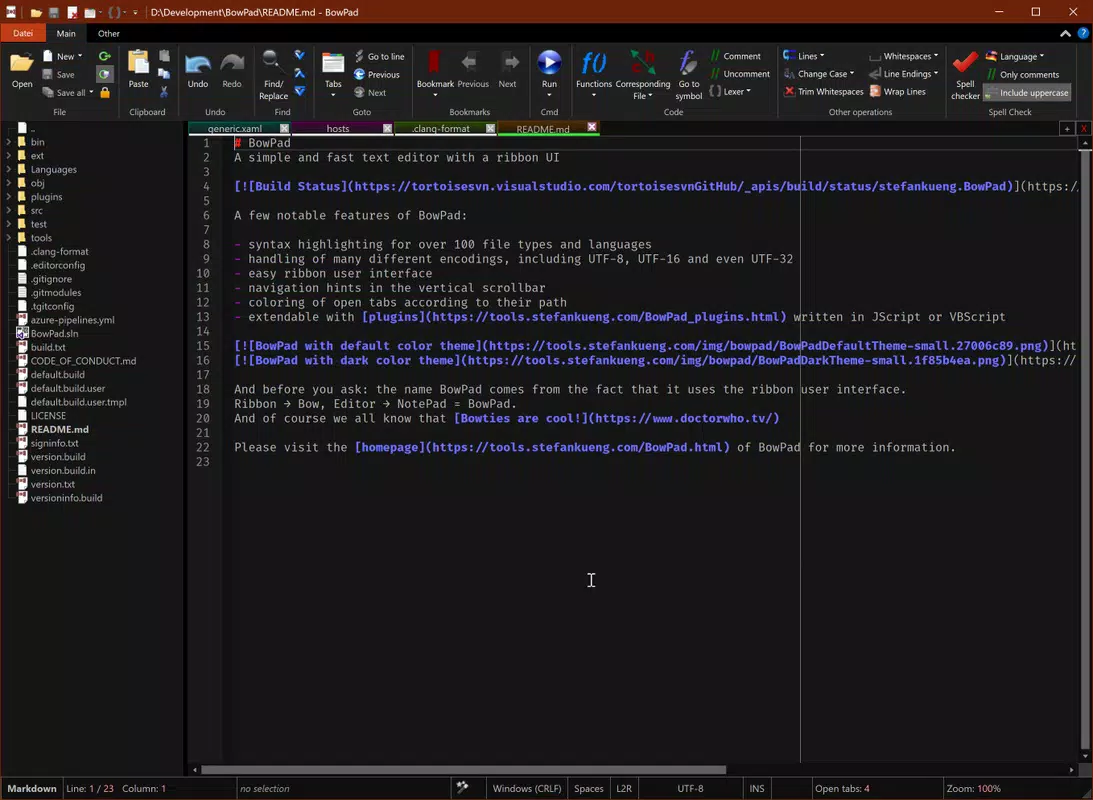
- Customizable Interface: Users can personalize their workspace with options such as dark mode for low-light editing and customizable tab layouts that align with individual workflow preferences.
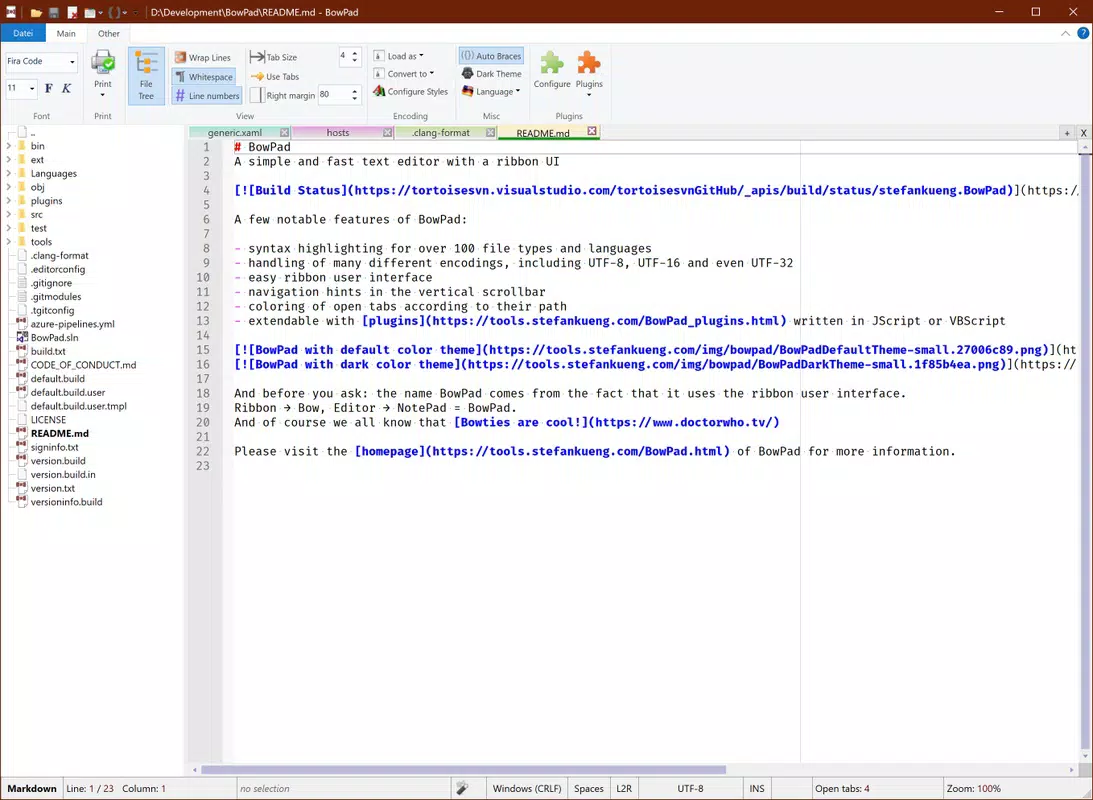
- Ribbon-Based Navigation: The interface employs a Ribbon-based layout, which organizes tools and commands logically, reducing the time needed to access frequently used functions.
- Efficient Workflow Design: BowPad emphasizes focus and speed, minimizing distractions with a structured layout that enables developers to locate tools and code fragments swiftly.
- Open Source Development Model: As an open-source project, BowPad welcomes contributions and feedback, ensuring ongoing updates and feature enhancements driven by real user needs.
For example, a developer working on a multilingual website can use BowPad to edit HTML files encoded in UTF-8 while referencing external documentation through the integrated search feature. Similarly, a C++ programmer can leverage dark mode and tab organization to maintain concentration during extended coding sessions. The ability to switch between encodings without data loss ensures compatibility across platforms and tools.
Interface, UX & Performance
BowPad features a clean, ribbon-based interface that organizes editing tools into clearly labeled sections, promoting intuitive navigation. The visual style is minimalistic yet functional, with a focus on readability and usability. Navigation is streamlined through logical grouping of commands, reducing the need for deep menu dives or keyboard shortcuts for common tasks.
Users can expect a responsive experience across a range of Windows devices, from entry-level laptops to high-performance desktops. Although the developer did not list formal performance metrics, the application’s lightweight footprint of 10.2 MB suggests efficient resource usage and fast startup times. Stability appears consistent, especially for typical editing workloads, though performance under heavy file loads or complex syntax highlighting has not been publicly documented.
The interface remains fluid during editing, with minimal lag even when handling moderately sized files. Tab management is straightforward, allowing users to open multiple files and switch between them with ease. The customization options—such as theme selection and layout adjustments—enhance personalization without compromising usability. Overall, BowPad delivers a polished user experience tailored to developers who value both efficiency and comfort.
Platform Compatibility & Technical Requirements
BowPad is available exclusively for the Windows platform. It requires no specific hardware beyond standard Windows-compatible systems, making it accessible to a wide range of users. The application has a file size of 10.2 MB, which reflects its lightweight design and minimal system footprint.
The developer did not specify minimum OS requirements or version compatibility details. However, given its release date of 2025-07-14 and the typical lifecycle of such tools, it is likely compatible with recent versions of Windows 10 and Windows 11. Users should verify compatibility with their specific system configuration before installation. No additional dependencies or runtime environments are required for basic operation.
Pros and Cons
Pros
- Lightweight design with fast performance and low resource consumption.
- Open-source model ensures transparency and community-driven development.
- Supports multiple text encodings for broad compatibility across projects.
- Customizable interface with dark mode and tab organization for improved workflow.
- Ribbon-based layout enhances accessibility and tool discoverability.
- Free to download and use with no licensing restrictions.
Cons
- Platform limited to Windows; no support for Android or iOS devices.
- Specific system requirements were not listed by the developer.
- Advanced IDE-like features such as debugging or version control integration are not included.
- Limited documentation available beyond basic functionality.
- Updates may depend on community contributions, potentially affecting release frequency.
FAQ
Is BowPad safe to download and install?
Yes, BowPad is a legitimate open-source application distributed through official channels. As a free tool with transparent code, it is considered secure when downloaded from trusted sources.
Can I use BowPad on Android or iOS?
Currently, BowPad is only available for Windows. There is no official version for Android or iOS platforms.
Does BowPad support syntax highlighting?
BowPad provides basic syntax highlighting for common file types, including HTML and C++. The level of support may vary depending on the file format and user configuration.
How often is BowPad updated?
As an open-source project, updates are released as improvements and bug fixes are contributed by the community. The frequency depends on active development cycles and user input.
Is BowPad suitable for large-scale software projects?
BowPad is best suited for small to medium-sized projects and quick editing tasks. For large-scale development, developers may prefer full-featured IDEs with advanced debugging and integration tools.
Final Thoughts
BowPad stands out as a focused, efficient tool for developers who need a reliable, lightweight editor without the complexity of full IDEs. Its open-source foundation, multi-format encoding support, and customizable interface make it a strong choice for programmers working with HTML, C++, and other text-based formats. The emphasis on speed, simplicity, and user control enhances productivity in everyday coding scenarios.
While it lacks some advanced features found in professional development environments, BowPad excels in its core purpose: providing a clean, responsive editing experience. It is ideal for developers who value minimalism, transparency, and quick access to essential tools. For those seeking a free, secure, and efficient code editor on Windows, BowPad delivers tangible value.
Download BowPad now


